If your organisation is on the Ngahere plan, the invite and welcome emails your people receive can carry your own branding instead of Kaha Create's - with an extra message from you. New members feel like they're joining your hub from the very first email. Organisations on other plans keep the standard Kaha Create emails, unchanged.
Hub invite to a new user
Hub invite to an existing user
Creator welcome (day 1)
Learner welcome (day 1)
Owner welcome (day 1) — de-branded only, no extra message
Enrolment and feedback notification emails are not affected.
Make sure your organisation is on the Ngahere plan. Branded emails are a Ngahere feature.
Go to Settings → Email Branding.
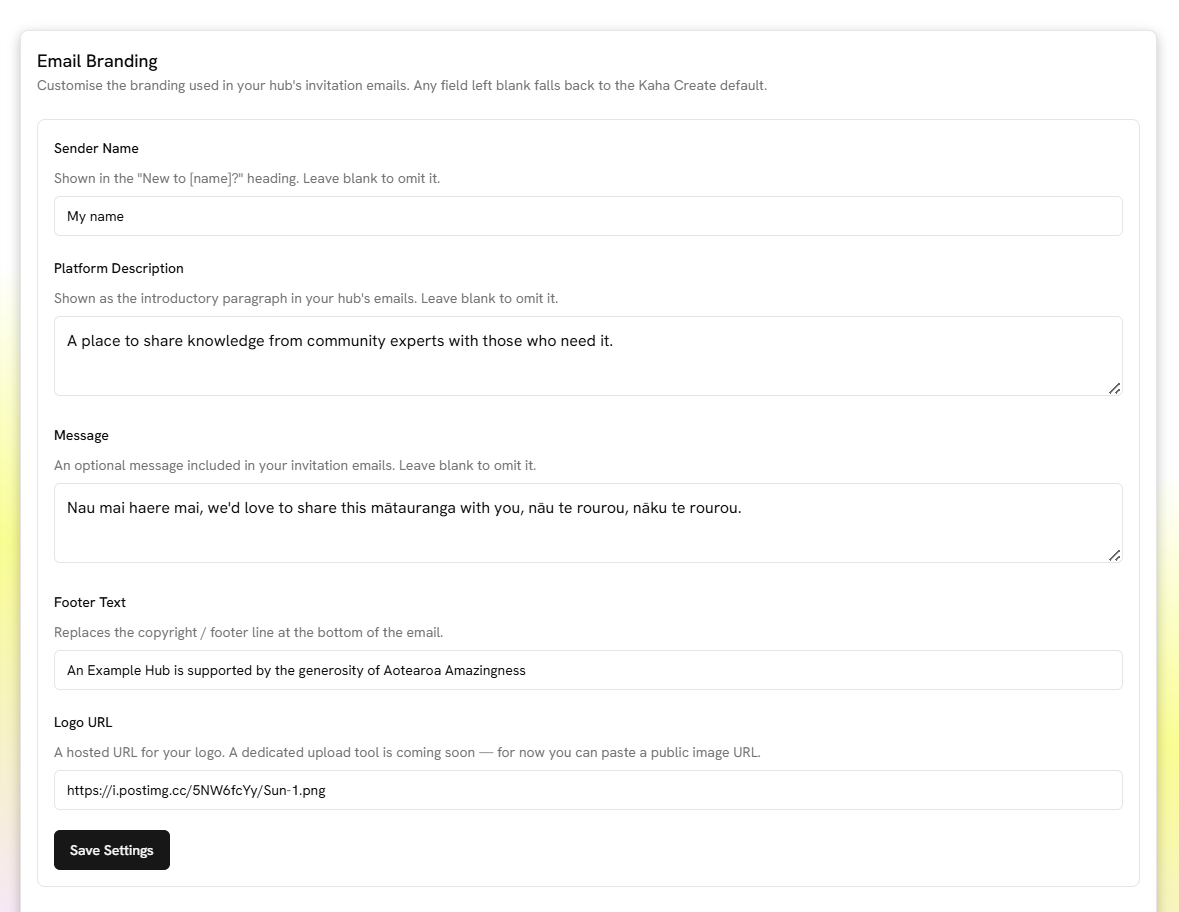
Fill in the fields you want to customise. Any field left blank falls back to the Kaha Create default:
Field
What it does
Sender Name | Appears in the "[Sender Name] has invited you to join [hub]" line, and in the "This invitation was sent by [Sender Name]" note near the bottom. Leave blank to omit it. |
Platform Description | A short introduction to your organisation. Appears as a paragraph in the email body. Leave blank to omit it. |
Message | An optional message from you, such as a short welcome or a line about what to expect. Appears in the email body, above the Platform Description. Leave blank to omit it. |
Footer Text | Replaces the standard copyright and platform footer line at the bottom of the email. |
Logo URL | A hosted URL for your logo, shown at the top of the email. There's no upload tool yet, so paste a public image URL. |
Click Save Settings. New invites and welcomes to your people will now use your branded templates.
Here's a hub invite email with all fields filled in:
Sender Name: My name
Platform Description: A place to share knowledge from community experts with those who need it.
Message: Nau mai haere mai, we'd love to share this mātauranga with you, nāu te rourou, nāku te rourou.
Footer Text: An Example Hub is supported by the generosity of Aotearoa Amazingness
Logo URL: (a hosted image link)
This produces:
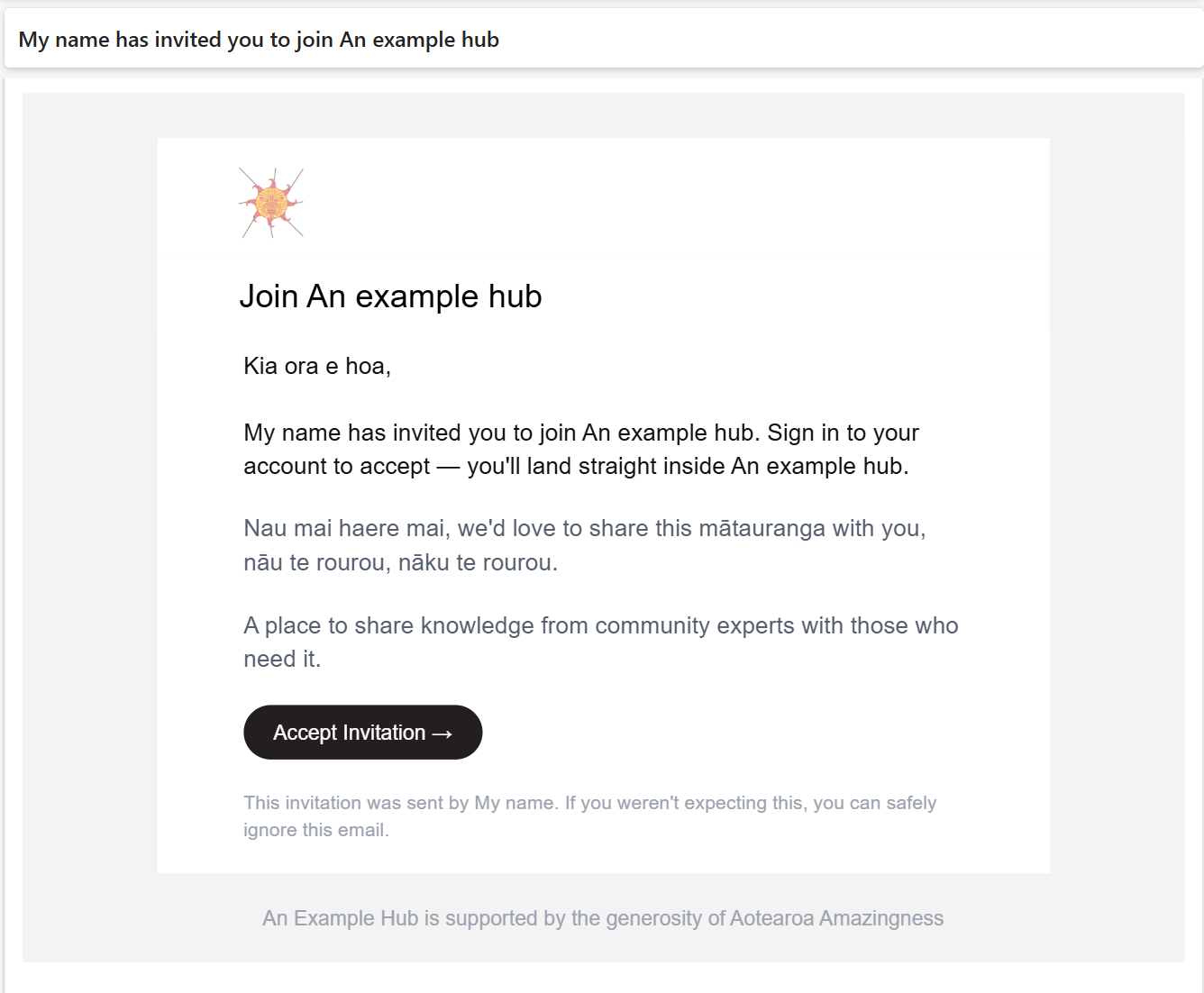
Join An example hub
Kia ora e hoa,
My name has invited you to join An example hub. Sign in to your account to accept, you'll land straight inside An example hub.
Nau mai haere mai, we'd love to share this mātauranga with you, nāu te rourou, nāku te rourou.
A place to share knowledge from community experts with those who need it.
[Accept Invitation →]
This invitation was sent by My name. If you weren't expecting this, you can safely ignore this email.
An Example Hub is supported by the generosity of Aotearoa Amazingness
The Message field is a good place for a short welcome, a line of mihi, or a note about what your invitees can expect.
The Owner welcome email is de-branded (your logo and footer still apply) but doesn't carry the Message or Platform Description text.
Any words you enter in Message or Platform Description are your own. They're not written or reviewed by Kaha Create, so it's on your organisation to make sure they're accurate and appropriate for your invitees.
If something looks different from what's described here, reach out to the Kaha Create team. We're happy to help. 🙏